Not every non-residential IP is malicious. Developers, remote workers, and privacy-conscious users routinely appear as VPN, proxy, or hosting traffic.
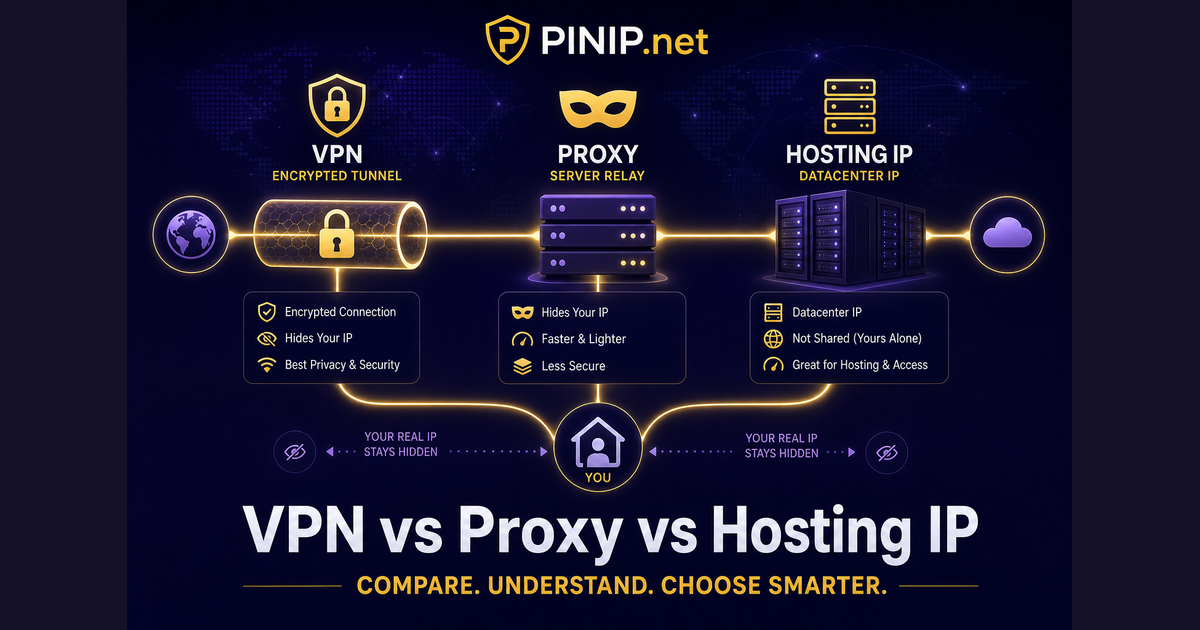
Three ways traffic can look “unusual”
Definitions
- VPN: Encrypts traffic and exits through another network; location shows the VPN server.
- Proxy: Forwards requests on behalf of a client; may be transparent or anonymous.
- Hosting / datacenter: Servers, CDNs, and cloud VMs — often fixed locations and ASNs tagged as hosting.
What PINIP shows
Lookup results include proxy/VPN/hosting flags when upstream providers return them. The My Location page adds a quick privacy check for your own IP. For server IPs, use Server IP Lookup to see co-hosted domains.